Pending Orders
Overview
The Pending Orders feature in the POS (Point of Sale) module allows users to temporarily save an order without completing payment or checkout. This is useful in scenarios where a customer wants to add more items later, is not ready to pay immediately, or requires order confirmation before finalizing. Pending Orders ensure sales staff can manage multiple customer transactions simultaneously without losing order details.
How to Access
To access Pending Orders:
- Log in to the Centric System dashboard.
- Navigate to POS (Point of Sale) from the sidebar menu.
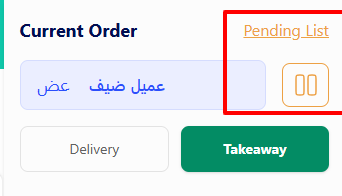
- On the Cart screen, click the Pending List option.
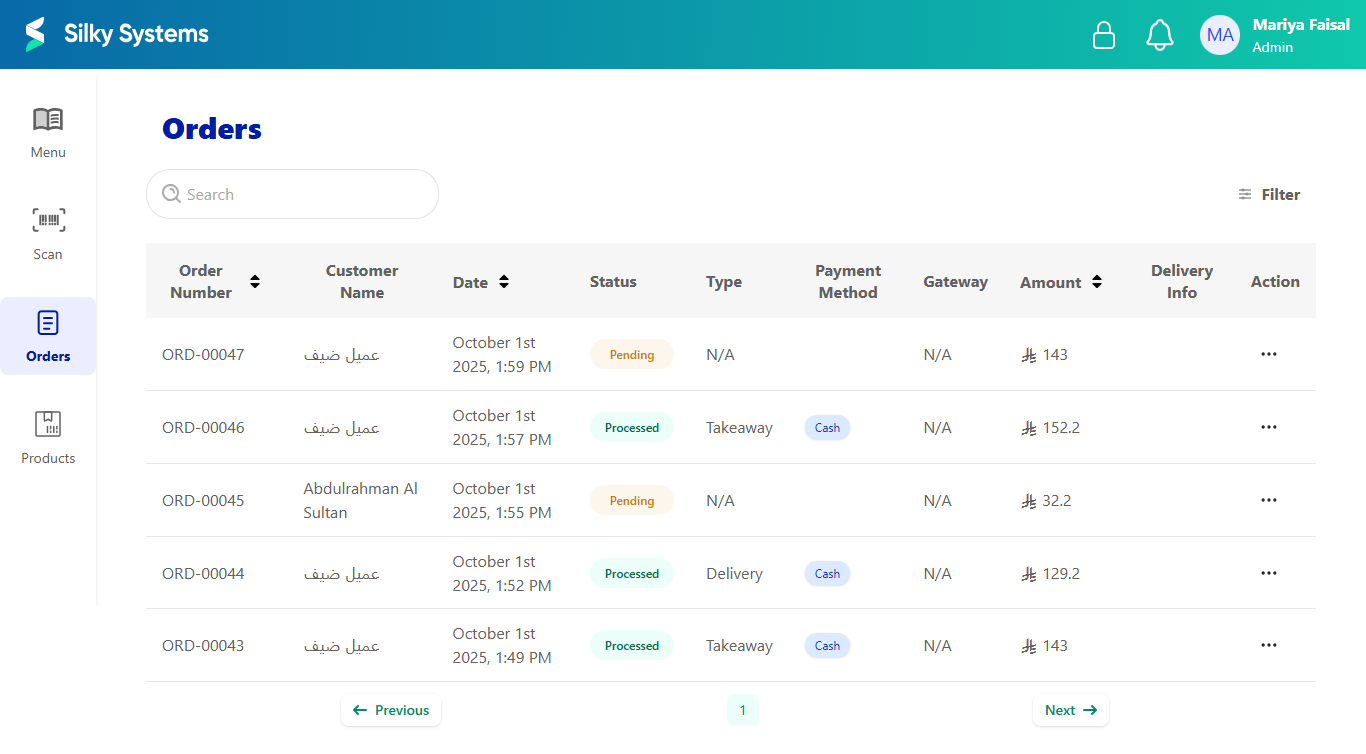
- Orders marked as pending will appear in the Orders List with a Pending status.
Creating a Pending Order
- Add products to the Cart as usual (select items, adjust quantities, review subtotal and tax).
- Instead of completing payment, click on Pending List.
- A confirmation popup will appear asking if you want to pend the order.
- Confirm by clicking Pend Order.
- The order is saved under the customer’s name and marked with a Pending status.

Viewing Pending Orders
-
Navigate to the Orders tab in the POS.
-
Pending Orders will be listed alongside processed ones, with details such as:
- Order Number – Unique ID for each order.
- Customer Name – Linked customer or guest.
- Date & Time – When the order was created.
- Status – Pending, Processed, or Cancelled.
- Payment Method – (if selected at time of saving).
- Amount – Total order value.
Managing Pending Orders
- Resume Order – Select a pending order to continue checkout and complete payment.
- Edit Order – Modify items, quantities, or apply discounts before finalizing.
- Cancel Order – Mark the pending order as cancelled if not required.
- Convert to Processed – Once payment is completed, status changes to Processed.
Benefits
- Flexibility – Allows handling of customers who need extra time before checkout.
- Efficiency – Enables staff to serve multiple customers simultaneously.
- Accuracy – Retains exact cart details to avoid re-entry.
- Tracking – Pending orders are recorded in the system for auditing and follow-up.